
PRODUCTS
  New Products
  MOON Evolution Series
  MOON Series
  Older Products
 
INFORMATION
  Simaudio News
  Press Releases
  Product Awards
  Product Reviews
  Education
  Literature
  Recommended Music

 
COMPANY
  Background
  Green Practices
  Factory Tour
  Photo Gallery
  Unauthorized Sales
  Career Opportunities
  Contact Us

 
SUPPORT
  Where To Buy
  Product Registration
  Warranties
  Owner's Manuals
  F A Q
  Factory Upgrades
  Service
MOON CRM Remote Control                         Updated: November 14, 2008


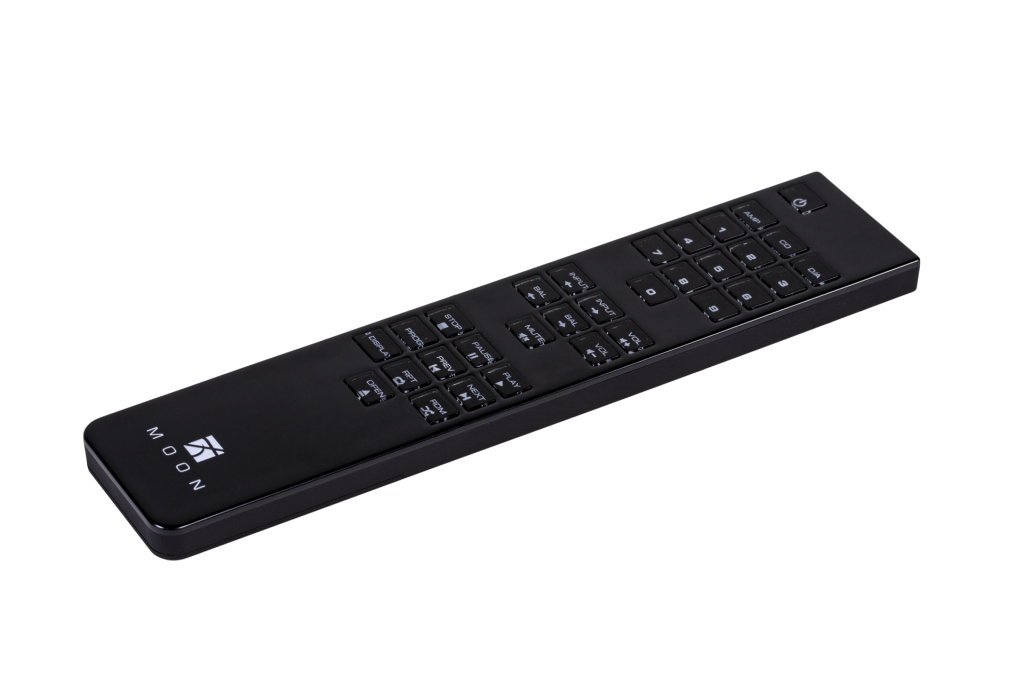
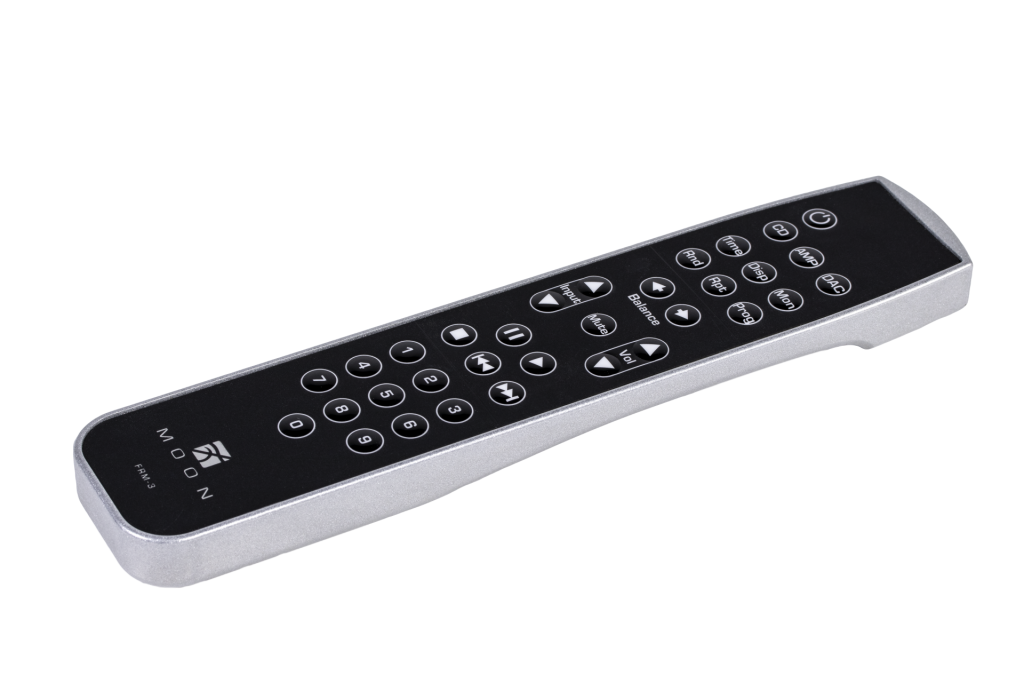
All Simaudio MOON components, excluding power amplifiers, feature remote control operation. Presently, there are two models available; The CRM Full-Function Remote Control and the FRM-2 Full-Function All-Aluminum Remote Control. Both models operate with the Philips RC-5 standard. The CRM requires 2 AAA batteries and the FRM-2 require three (3) AAA batteries.


The CRM Full-Function Remote is intended for use with the MOON i-1 Integrated Amplifier and the MOON CD-1 Disc Player. It will also operate all other Simaudio MOON components.

The CRM has the following functions for the i-1:

  • Volume - up and down
  • Balance - left and right   (i-3 SE only)
  • Mute
  • Power - on/off
  • Input Selection
The CRM has the following functions for the CD-1:
  • Stop, Play, Pause
  • Random Play, Repeat Track or Disc, Program
  • Next Track, Previous Track
  • Power - on/off
  • Open/Close CD Drawer
  • Direct track access via buttons 0 thru 9


MOON FRM-2 Remote Control                     Updated: November 14, 2008

The FRM-2 Full Function Remote is intended for use with the following Simaudio MOON components: P5.3, P-7 and P-8 Preamplifiers; i3.3, i5.3 and i-7 Integrated Amplifiers; The CD3.3, CD5.3, SuperNova and Andromeda Disc Players. It may also be purchased as an option for the i-1 Integrated Amplifier and CD-1 Disc Player.

The FRM-2 has the following functions:

  • Preamplifier:
    • Volume - up and down
    • Balance - left and right
    • Mute
    • Power - on/off
    • Input Selection

  • CD Players:
    • Stop, Play and Pause
    • Skip to Next and Previous Track
    • Scan current track - forward and backward
    • Repeat track and entire disc

Point-and-click here to return to the top of this page